

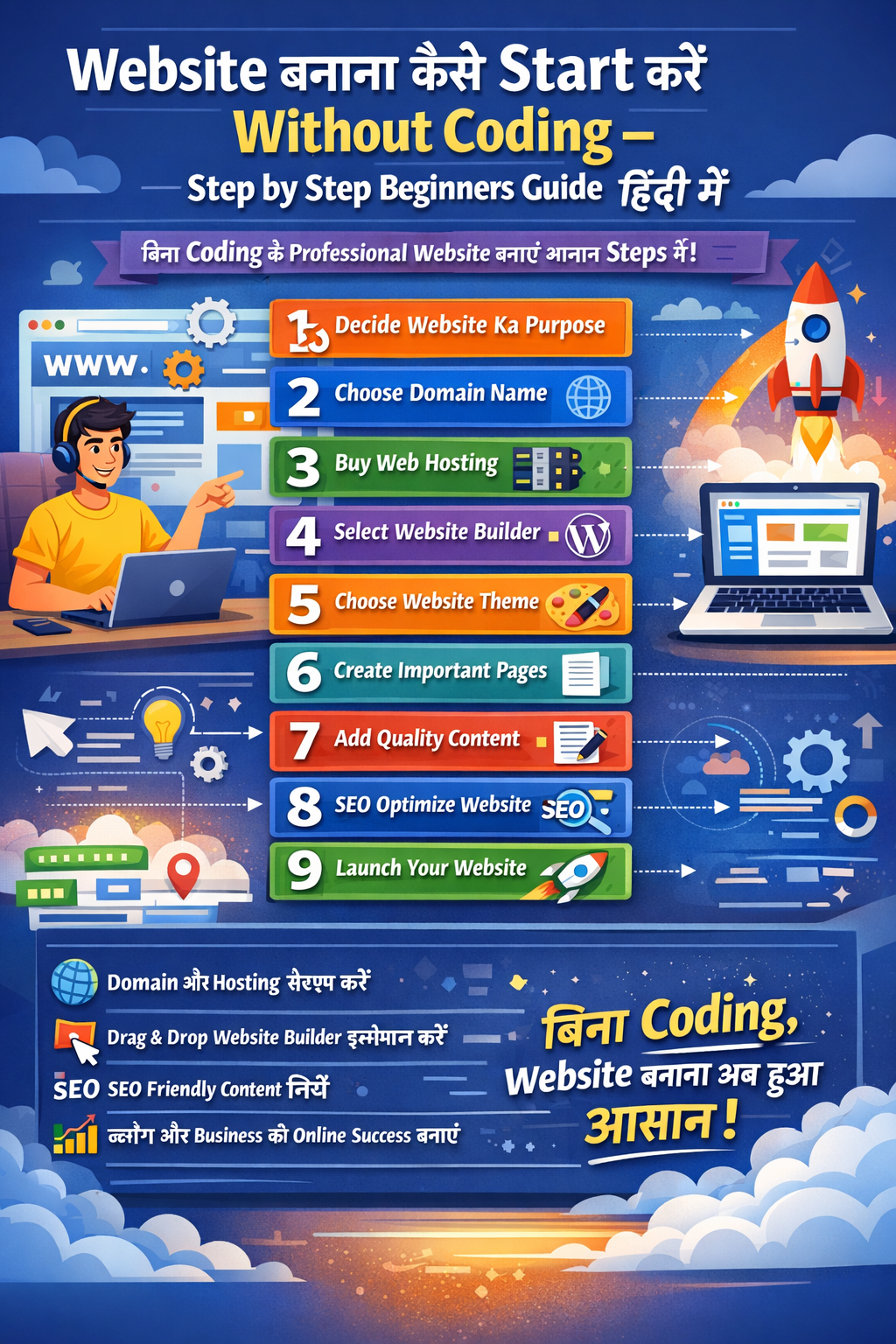
Website बनाना कैसे Start करें बिना Coding – Step by Step Beginners Guide हिंदी में
आज के Internet के समय में अपना website होना बहुत important हो गया है। चाहे आप Blogger हों, Freelancer हों, Student हों या Housewife अगर आप अपना business या Services online ले जाना चाहते हों तो एक Website आपकी Online Identity बना सकती है।
अच्छी बात यह है कि Website बनाना अब बिलकूल भी मुश्किल नहीं रहा। पहले website बनाने के लिए coding आनी ज़रूरी होती थी, लेकिन अब ऐसे Tools available हैं जिनकी help से आप बिना coding के भी Professional Website आसानी से बना सकते हैं।
इस article में हम detail में समझेंगे कि “Website बनाना कैसे start करे बिना coding step by step guide”, ताकि beginners भी आसानी से अपनी website develop और launch कर सकें।
Website बनाना क्यों Important हैं?
Website सिर्फ एक page नहीं होता, बल्कि एक Online Platform होता है जहाँ से लोग आपको या आपके Business को discover करते हैं।
Website होने के कुछ Major Benefits:
- अपनी online presence को build कर सकते हैं
- Blog start करके अच्छे पैसे कमा सकते हैं
- अपने products या services promote कर सकते हैं
- अपना portfolio showcase कर सकते हैं
- Freelancing opportunities ढूंढ सकते हैं
इसलिए आजकल बहुत लोग सीखना चाहते हैं कि website बनाना कैसे start करे बिना coding।
Website बनाने के लिए क्या-क्या चाहिए ?
अगर आप अपनी First Website बनाना चाहते हैं तो आपको mainly 3 चीज़ें चाहिए होती हैं:
- Domain Name
- Web Hosting
- Website Builder / CMS
इन तीन चीज़ों के साथ आप आसानी से बिना Coding के अपनी Website Online Launch कर सकते हैं।
Step 1: Website का Purpose Decide करें
सबसे पहले आपको decide करना होगा कि आप website किस purpose के लिए बनाना चाहते हैं। आपको Blogs post करना हैं या आप अपना Portfolio बनाना चाहते हैं या तो आपका Store है जिसे आप Online करके अपने Bussiness को grow करना चाहते है।
Common website types:
Blog Website
अगर आप Articles, Tutorials या Knowledge share करना चाहते हैं।
Business Website
अपने products या services promote करने के लिए।
Portfolio Website
Photographers, designers और freelancers के लिए best option हैं।
E-commerce Website
अगर आप online products sell करना चाहते हैं।
Clear purpose होने से website design और content planning आसान हो जाता है।
Step 2: Domain Name Choose करें
Domain name आपकी website का internet address होता है।
Example:
- yourwebsite.com
- myblogspot.com
- Abc.in
Domain choose करते समय कुछ important tips:
- Domain short और easy होना चाहिए
- Relevant keyword use करें
- Numbers और hyphens avoid करें
- Possible हो तो .com extension choose करें
Example:
अगर आप tech blog बना रहे हैं तो domain हो सकता है:
techguidehub.com
Popular Domain Name providers :
Step 3: Web Hosting Purchase करें
Web hosting एक service होती है जहाँ आपकी website की files store होती हैं।
Simple language में:
- Domain = Website का address
- Hosting = Website का घर
Hosting choose करते समय ध्यान रखें:
- Fast loading speed
- Good uptime
- Security features
- 24/7 support
अच्छी hosting आपकी website को fast और secure बनाती है।
Popular Web Hosting providers:
- Hostinger
- Blue hosting
- SiteGround
- GoDaddy
- HostGator
Step 4: Website Builder Choose करें
अगर आप बिना coding website बनाना चाहते हैं, तो आपको एक website builder या CMS use करना चाहिए।
Popular platforms:
- WordPress
- Wix
- Squarespace
- Shopify
Beginners के लिए WordPress सबसे popular platform है।
Reasons:
- Easy to use
- Thousands of themes
- SEO friendly
- Flexible customization
इसीलिए beginners के लिए WordPress website बनाना best option होता है।
Step 5: Website Theme Select करें
Theme website का design और layout control करती है।
Theme choose करते समय ध्यान रखें:
- Mobile responsive हो
- Fast loading हो
- Clean और professional design हो
- Customizable हो
अच्छी theme आपकी website को professional look देती है।
For example : Astra theme, WordPress की एक popular theme है।
Theme website का design और layout control करती है।
Theme choose करते समय ध्यान रखें:
- Mobile responsive हो
- Fast loading हो
- Clean और professional design हो
- Customizable हो
अच्छी theme आपकी website को professional look देती है।
For example : Astra theme, WordPress की एक popular theme है।
Step 6: Important Pages Create करें
हर website पर कुछ basic pages होना ज़रूरी होता है। जैसे कि :
Home Page
यह website का main page होता है जहाँ visitors सबसे पहले आते हैं।
About Page
यहाँ आप अपने बारे में या website के purpose के बारे में बता सकते हैं।
Contact Page
Visitors आपसे contact कर सकें इसलिए contact page important होता है।
Blog Page
अगर आप regular articles publish करना चाहते हैं तो blog section ज़रूर create करें।
ये pages website को trustworthy और professional बनाते हैं।
AStep 7: Website पर Content Add करें
Lorem ipsum dolor sit amet, consectetur adipiscing elit. Ut elit tellus, luctus nec ullamcorper mattis, pulvinar dapibus leo.